Home › Free › Payday budget template: plan every pay, not every month
Payday budget template: plan every pay, not every month

A payday budget is a budget built around the day your money actually lands, rather than the first of the month. If you are paid weekly or fortnightly, like many Australians, planning from payday to payday is usually far more realistic than a monthly spreadsheet. This page walks you through a simple payday budget template you can copy today, how to set it up for weekly, fortnightly or monthly pay, and how to handle the bills that do not line up with your pay cycle.
Why plan by payday instead of by month?
Monthly budgets assume your income arrives once a month. When you are paid fortnightly, some months have two pays and some have three, and bills fall in between. A monthly budget can look fine on paper while one particular fortnight is short because rent, the phone bill and car insurance all landed in the same pay. Planning by payday fixes that. Each pay has its own short list of jobs, and you can see straight away whether this pay can cover them.
A payday budget template you can copy
Grab a notebook, a notes app or a spreadsheet, and set up these sections for each pay:
- Payday and amount: the date and your take-home pay (after tax and any salary sacrifice).
- Bills due before next payday: each bill, its due date and amount. Tick each one off when it is paid.
- Set-asides for bigger bills: a per-pay amount for rego, insurance, school costs, Christmas and anything else that arrives quarterly or yearly.
- Savings: emergency fund, a goal, or extra debt repayment.
- Everyday spending: groceries, fuel or transport, and personal spending.
- Safe to spend: pay minus everything above. This is the number to watch until next payday.
That is genuinely all a payday budget needs. The power comes from doing it every payday, so it becomes a ten-minute habit.
Turning bills into a per-pay amount
The trickiest part of any payday budget is the bills that do not match your pay cycle. The fix is to convert each one into a per-pay amount and set it aside every payday. Here is how, using made-up numbers:
| Bill frequency | To get a fortnightly amount | Example |
|---|---|---|
| Weekly | × 2 | $60 a week → $120 a fortnight |
| Monthly | × 12 ÷ 26 | $90 a month → about $41.54 a fortnight |
| Quarterly | × 4 ÷ 26 | $450 a quarter → about $69.23 a fortnight |
| Yearly | ÷ 26 | $900 a year → about $34.62 a fortnight |
For weekly pay, divide yearly costs by 52 instead of 26. For monthly pay, divide by 12. Once every bill is converted, you have one figure to set aside each pay, and those big bills stop arriving as a shock.
Weekly, fortnightly or monthly pay
- Weekly: keep the bill list short and set aside a little each week for monthly bills like rent, so it is all there on the day.
- Fortnightly: the most common setup. Plan each pay with the bills due in that fortnight, and watch for the months with three paydays.
- Monthly: one big plan, but split everyday spending into weekly amounts so the last week of the month is not lean.

The three-pay months
If you are paid fortnightly, there are 26 pays in most years, which means two months each year usually have three paydays. If your regular bills are planned around two pays a month, the third pay in those months can go almost entirely to savings, a debt or a sinking fund. Mark them on your calendar at the start of the year so you can plan for them instead of letting them drift.
Making the template stick
- Do it on payday. Same day, same time, ideally before you spend anything.
- Automate what you can. Scheduled transfers on payday for savings and set-asides take the willpower out of it.
- Keep a buffer. A small amount for surprises stops one unexpected cost from derailing the whole pay.
- Review after three pays. Your first estimates will be off. Adjust them, then the plan mostly repeats.
- Be kind to yourself. A pay that goes over is information, not failure. Move money between categories and carry on.
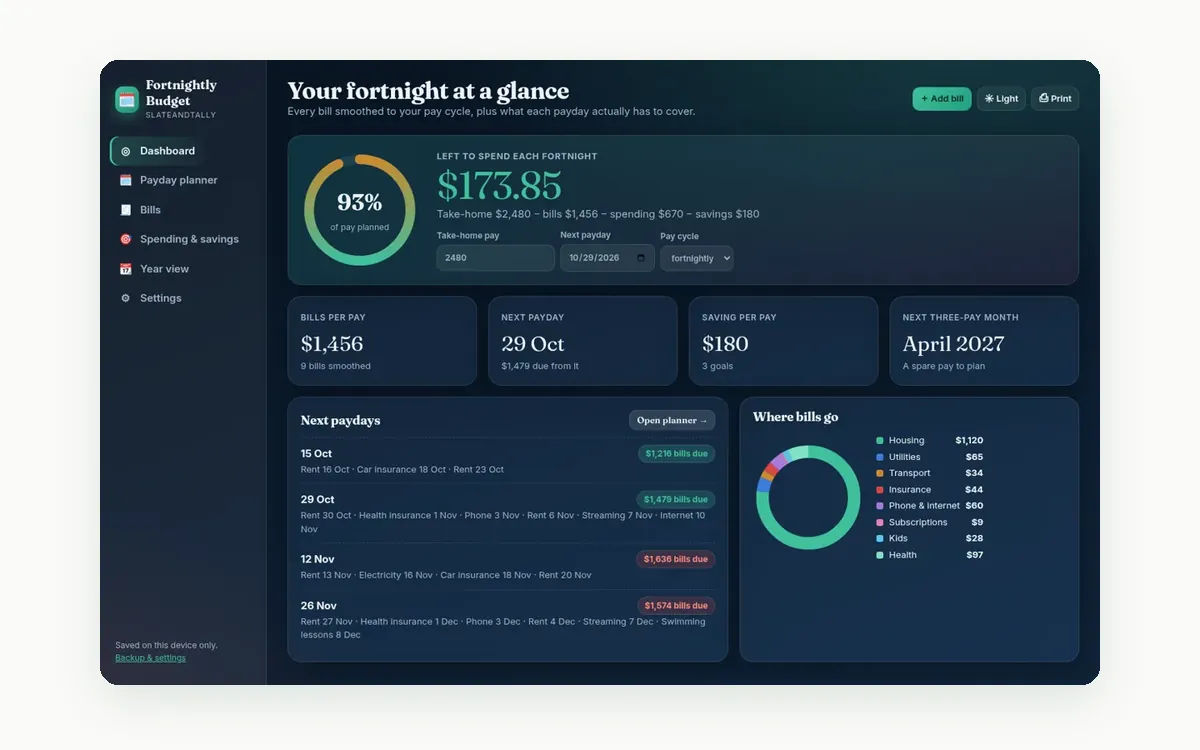
 Fortnightly Budget DashboardPlan every payday: bills smoothed across fortnights, a tick-off payday planner, three-pay months and savings goals.See the app →
 Money HQYour whole money life in one browser app: payday-aware budget, bills calendar, savings goals, debt payoff and net worth.See the app →
A worked example (made-up numbers)
Say your take-home pay is $1,900 a fortnight. Bills due before next payday: rent $850, phone $45 and internet $75, so $970. Set-asides: rego and insurance $60, Christmas $30 and school costs $25, so $115. Savings: $150 to the emergency fund. Groceries $280 and fuel $120 come to $400. That leaves $265 as your safe-to-spend number for the fortnight. These figures are only an illustration, so use your own.
Paper template or app?
A paper or spreadsheet template is a great way to start, and our free printables are there if you would like one, no sign-up needed. The work that a template cannot do for you is the maths: converting every bill to a per-pay amount, working out which bills land in which pay, and spotting the three-pay months. That is what our Fortnightly Budget app does for you.
Weekly, fortnightly, monthly, quarterly and yearly bills converted to a per-pay amount, a payday planner that lists the bills each pay has to cover, goals and per-pay savings, and a year view that spots the three-pay months. It works offline in your browser, your data stays on your device, and there is no bank login. Secure checkout via Payhip.
See the Fortnightly Budget app · A$29
Want bills, savings goals, debt payoff and net worth together? Money HQ (A$59) plans by your real pay cycle too. And for the big yearly bills, Sinking Funds (A$19) shows exactly how much to move into each jar each pay.
Frequently asked questions
What is a payday budget?
A budget planned from one payday to the next. Each pay covers the bills due before the next pay, set-asides for bigger bills, savings and everyday spending.
How do I budget fortnightly for monthly bills?
Multiply the monthly bill by 12 and divide by 26 to get a fortnightly amount, then set that aside each pay.
What should I do with the third pay in a month?
If your regular bills are planned around two pays a month, the third pay is a good chance to boost savings, pay down debt or top up sinking funds.
Is there a free payday budget template?
Yes. The template on this page is free to copy, and our free printables need no sign-up.
Does the Fortnightly Budget app connect to my bank?
No. There is no bank login or account. It works offline and your numbers stay on your device.
General information only, not financial advice. Examples use made-up numbers. For help with your situation, see moneysmart.gov.au or speak with a licensed financial adviser or a free financial counsellor.