Home › Budget Planner (Australia): Plan Every Pay in 5 Steps
Budget Planner (Australia): Plan Every Pay in 5 Steps
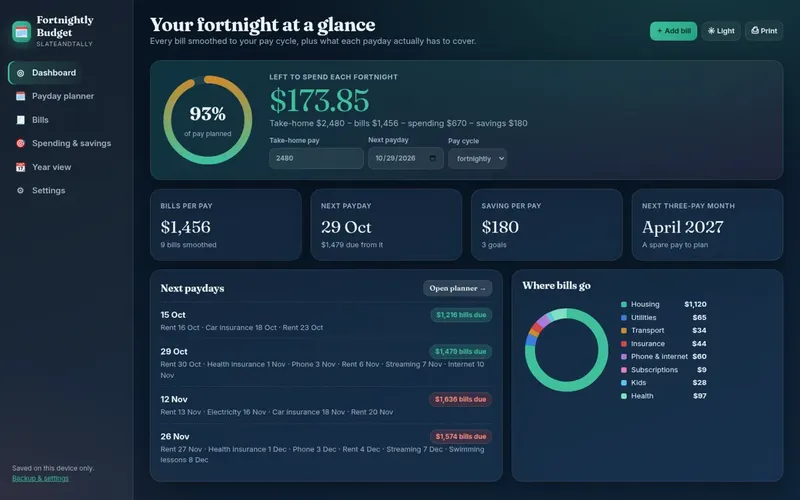
A budget planner is about looking forward: deciding before payday where each dollar will go. This guide walks you through planning a budget the Aussie way, then shows the planner options, from a free sheet to ready-made apps.
Planner, template, tracker: what's the difference?
These words get used interchangeably, but they do different jobs. A budget planner looks ahead and sets the plan for the coming pay or month. A budget template is the blank layout you plan in. A budget tracker looks back and records what you actually spent. Most people need all three, but planning comes first. Without a plan, tracking just tells you where the money went after it's gone.
Step 1: know your pay cycle and your real pay
Write down how often you're paid and your take-home amount. In Australia fortnightly pay is very common, along with weekly pay for many hourly jobs and monthly pay for salaried roles. If your hours vary, plan on a lower, typical pay. If you have Centrelink payments, they're also usually fortnightly, which makes a fortnightly planner the natural fit.
Step 2: map the bills to your pays
Grab a calendar and mark when each big bill leaves your account: rent or mortgage, car loan, insurance, phone and internet. Then mark your paydays. You'll quickly see which pay has to cover which bills. Many people find one pay is always tight and the other has room. A planner fixes that by setting aside a share of each bill every pay, so both pays look the same.
| Bill | When it's due | Amount | Set aside each fortnight |
|---|---|---|---|
| Rent | Every Monday | A$520 a week | A$1,040 |
| Car loan | 15th monthly | A$380 | A$175.38 |
| Health insurance | 1st monthly | A$210 | A$96.92 |
| Power | Quarterly | A$420 | A$64.62 |
| Rego + CTP | Yearly, March | A$880 | A$33.85 |
Example figures only, for illustration. Use your own numbers.
Step 3: plan the spending categories
Set a per-pay amount for groceries, fuel or transport, kids' costs, and personal spending. Use your last three months of bank statements to see what's realistic. A planner that's too tight gets ignored, so start with honest numbers and trim slowly. Grocery spending is often the easiest win. Our grocery budget guide has ideas.
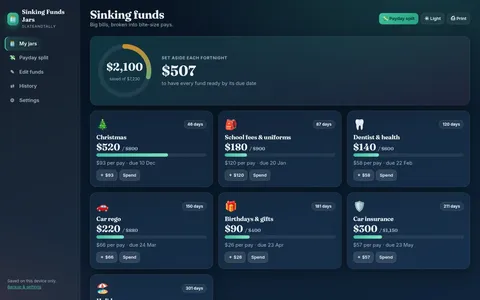
Step 4: plan for the big ones with sinking funds
Christmas, birthdays, school fees, holidays, the car service, the vet, and the yearly bills. None of them are surprises, but they feel like surprises if you haven't planned. Give each a yearly figure, divide by your number of pays, and move that amount to a separate account every payday. For Christmas, our Christmas savings per pay calculator does the sum for you.
Step 5: plan your savings and debt goals
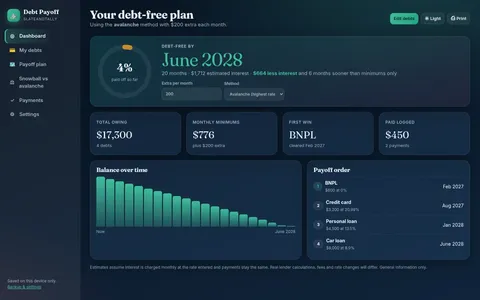
Decide what's left for goals, and make it automatic on payday. Common first goals are a starter emergency fund, then paying off high-interest debt like credit cards or buy now pay later, then bigger savings like a house deposit. See how big an emergency fund should be and the debt payoff planner guide.
A planning routine that sticks
- Payday morning, 10 minutes: move money to bills, sinking funds and savings. Check the plan for the next fortnight.
- Mid-pay check, 2 minutes: are groceries and fuel on track?
- Monthly, 20 minutes: compare plan with actual and adjust one category.
- Every 6 months: review insurance, energy and phone plans for better deals.
Budget planner options in Australia
| Option | Cost | Good for |
|---|---|---|
| Pen and paper or printable | Free | People who like writing it down |
| Our free Fortnightly Budget Mini (.xlsx / PDF) | Free | A one-page plan for one pay |
| ASIC's Moneysmart online budget planner | Free | A quick online calculation of your budget |
| Spreadsheet templates | Varies | People who like customising in Excel or Sheets |
| Our browser apps | One-off price | A planner already built, on your phone, offline |
General comparison. Moneysmart is a separate government website, not connected to SlateAndTally.
Couples and families
If you share money, plan together. Agree on the shared bills, each person's personal spending money, and the shared goals. A short couples budget chat each payday stops most money arguments before they start. Families with kids should also plan school costs and holidays as sinking funds. See the family budget planner.
What a good budget planner looks like after one month
After your first month of planning, you should be able to answer yes to most of these:
- I know exactly how much comes in each pay.
- Every bill has a per-pay amount set aside.
- The big yearly costs have sinking funds.
- I have a set grocery and spending amount and mostly stick to it.
- Something goes to savings or debt every payday, even if it's small.
- Neither pay feels much tighter than the other.
If you can't tick them all yet, that's normal. Most people need two or three pays to get the numbers right. Adjust one thing each payday rather than rebuilding the whole plan.
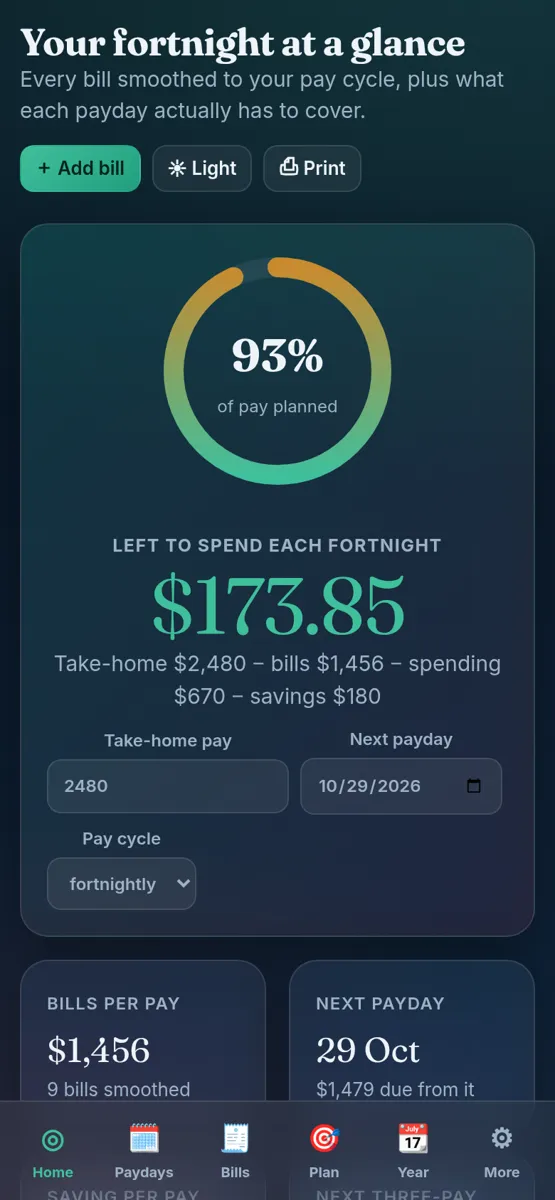
Want to try before you buy? The free Fortnightly Budget Mini is a genuinely free one-page sheet (.xlsx for Excel or Google Sheets, plus a printable PDF) that turns weekly, monthly, quarterly and yearly bills into a per-pay figure. No sign-up needed to download it from the Free page.
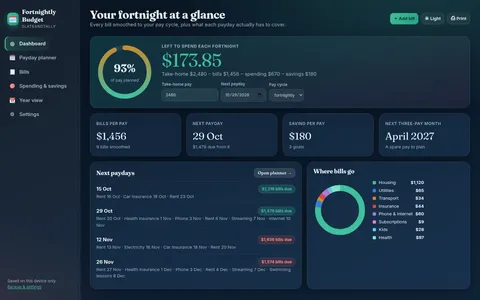
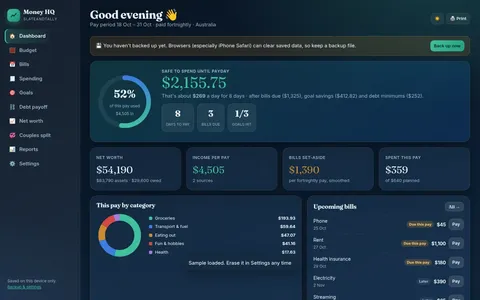
Our paid apps are a different kind of tool to a spreadsheet. Each one is a single HTML file you open in your web browser on a computer, Android phone or iPhone. There's nothing to install, it works offline, your data stays on your own device, and you can export a backup file from Settings. It's a one-off purchase with an instant download, not a subscription.
General information only, not financial or tax advice.
FAQ
What is the best budget planner in Australia?
The best planner is one that matches your pay cycle and that you'll actually use. Free options include our Fortnightly Budget Mini and ASIC's Moneysmart online planner. Our paid apps are one-off purchases that work offline on your phone.
How do I plan a budget on fortnightly pay?
Convert each bill to a fortnightly amount (yearly cost ÷ 26), set aside that amount every pay, then plan spending and savings from what's left.
What is the difference between a budget planner and a budget tracker?
A planner sets where money will go before payday. A tracker records where it actually went.
How often should I update my budget planner?
Briefly each payday, with a slightly longer review once a month.